– FEATURES –
AI Parental
Monitoring Software
On-device AI text monitoring, real-time alerts, and a parent dashboard—built to detect cyberbullying, sextortion, grooming, and self-harm without reading your child's private messages.

– CYBERSAFELY –
How It Works
On-device AI monitoring that works silently across all apps—real-time alerts to your parent dashboard when intervention matters.

Quick Setup
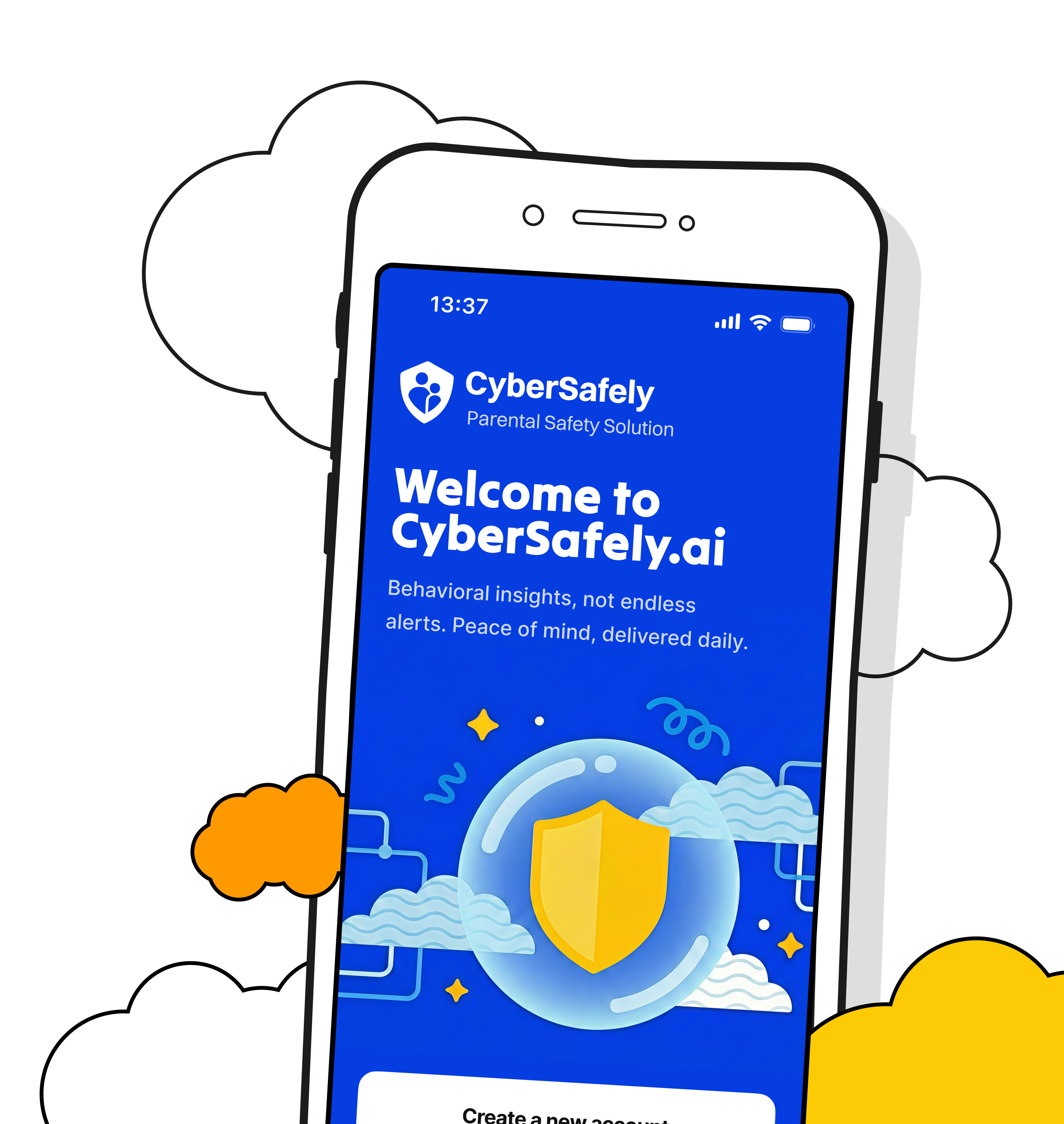
Download the parent app and activate the on-device Smart Keyboard during setup. Your child keeps using their phone normally—monitoring starts automatically wherever they type.

On-Device AI Monitoring
On-device AI analyzes text as your child types—locally on their device, without storing messages. It monitors for cyberbullying, sextortion, grooming, and self-harm patterns 24/7.

Real-Time Alerts
When risk is detected, real-time alerts route to your parent dashboard—color-coded by severity so you can intervene before online dangers become real harm.
– NOW LIVE –
CyberSafely's
Smart Keyboard
Our on-device Smart Keyboard uses AI to analyze every keystroke locally—without storing or viewing content. When threats like cyberbullying, sextortion, or self-harm language are detected, real-time alerts route to your parent dashboard. Monitoring works wherever your child types—direct messages, group chats, browser fields, and drafts—with nothing tracked on the web.
Smart Keyboard
Today at 5:42 PM
Sarah M
Classmate
– CROSS-PLATFORM –
Any Device
Any Browser
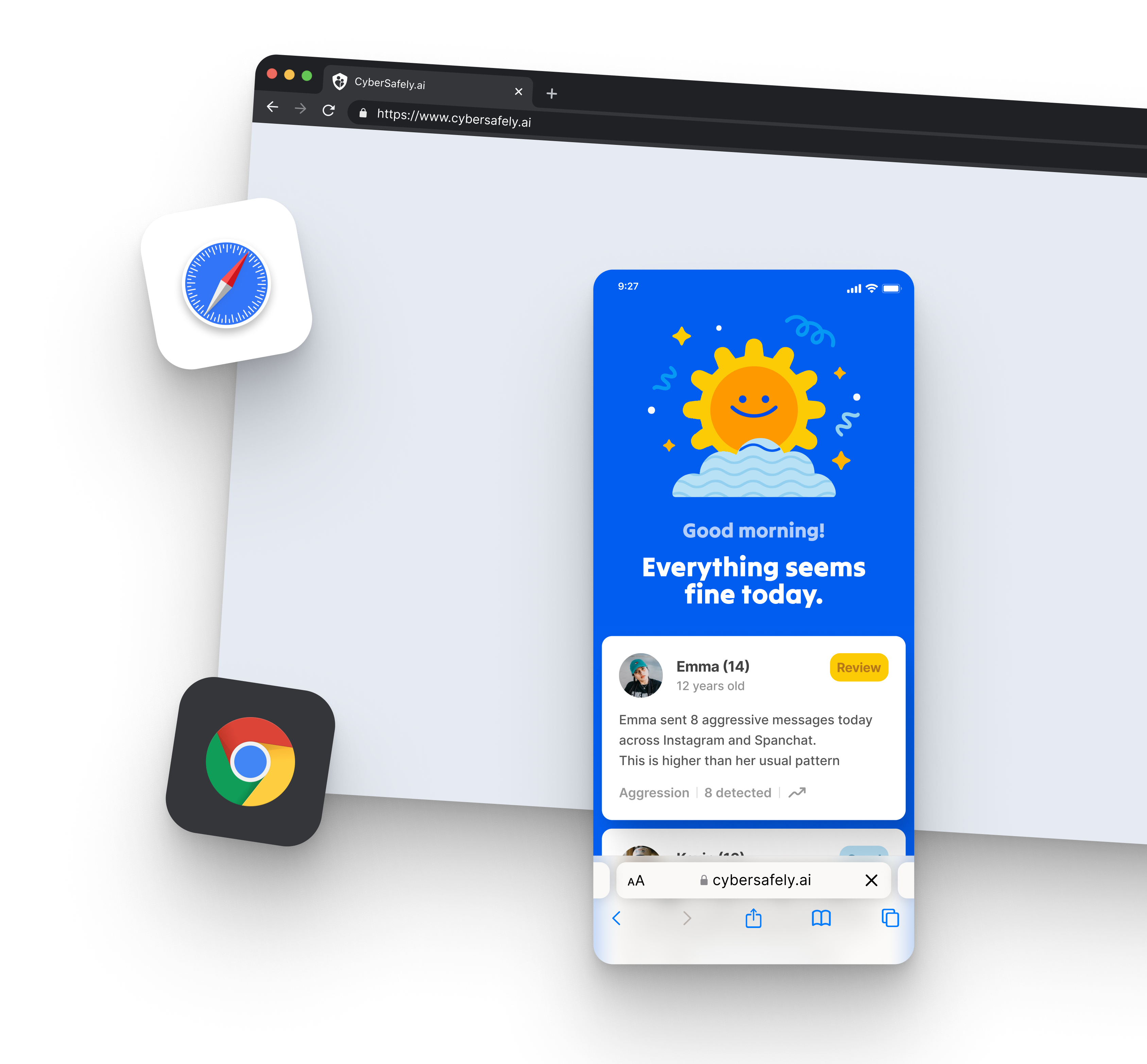
CyberSafely's on-device Smart Keyboard delivers consistent AI monitoring on iPhone, Android, tablet, and laptop. Because analysis happens wherever your child types—in any app or browser text field—coverage follows them without web tracking and without slowing the device.
– COMPARISON –
How We Compare
See how CyberSafely.ai stacks up against competitors. For Boundrees, Helmit, Qustodio, Gaggle, and more, visit the full comparison library.

Monitors texts, emails, and 30+ social networks. Offers screen time and location management. Alerts parents about flagged issues. Limited for ephemeral apps like Snapchat.
Monitors school-managed accounts and devices via AI + human review. Focus on content within school-provided environments. Does not extend to personal devices or all social apps.
Covers 30+ platforms and texts, but does not monitor device-wide keystrokes. Separate Bark Phone provides additional coverage.
Covers Google Workspace, Microsoft 365, and school networks only — not personal devices.
Covers 30+ platforms and texts, but does not monitor device-wide keystrokes. Separate Bark Phone provides additional coverage.
Covers Google Workspace, Microsoft 365, and school networks only — not personal devices.
$14/month or $99/year (Premium). Bark Jr ~$5/month or $49/year
Custom pricing by district or student count (enterprise-level)
Parents and families (with limited free option for schools)
School districts and administrators
Requires connecting multiple accounts manually; setup can be time-consuming.
District-level integration needed with IT admin support; not family friendly.
Parents and families (with limited free option for schools)
School districts and administrators
Email and chat support; onboarding resources for parents available online
Dedicated account managers for schools; paid professional development
Broadest social platform coverage for consumer-level product
Enterprise-level monitoring with human review for school-managed systems
Key Features
CyberSafely
Bark
Monitors texts, emails, and 30+ social networks. Offers screen time and location management. Alerts parents about flagged issues. Limited for ephemeral apps like Snapchat.
Gaggle
Monitors school-managed accounts and devices via AI + human review. Focus on content within school-provided environments. Does not extend to personal devices or all social apps.
Focus
CyberSafely
Bark
Covers 30+ platforms and texts, but does not monitor device-wide keystrokes. Separate Bark Phone provides additional coverage.
Gaggle
Covers Google Workspace, Microsoft 365, and school networks only — not personal devices.
Coverage
CyberSafely
Bark
Covers 30+ platforms and texts, but does not monitor device-wide keystrokes. Separate Bark Phone provides additional coverage.
Gaggle
Covers Google Workspace, Microsoft 365, and school networks only — not personal devices.
Pricing
CyberSafely
Bark
$14/month or $99/year (Premium). Bark Jr ~$5/month or $49/year
Gaggle
Custom pricing by district or student count (enterprise-level)
Target Market
CyberSafely
Bark
Parents and families (with limited free option for schools)
Gaggle
School districts and administrators
Ease of Use / Setup
CyberSafely
Bark
Requires connecting multiple accounts manually; setup can be time-consuming.
Gaggle
District-level integration needed with IT admin support; not family friendly.
Privacy & Data Control
CyberSafely
Bark
Parents and families (with limited free option for schools)
Gaggle
School districts and administrators
Support & Onboarding
CyberSafely
Bark
Email and chat support; onboarding resources for parents available online
Gaggle
Dedicated account managers for schools; paid professional development
Unique Advantage
CyberSafely
Bark
Broadest social platform coverage for consumer-level product
Gaggle
Enterprise-level monitoring with human review for school-managed systems
– COMPREHENSIVE COVERAGE –
Students
Cannot Bypass
CyberSafely
Unlike traditional parental controls that tech-savvy kids easily circumvent, CyberSafely monitors at the on-device keyboard layer—not on the network. A VPN, incognito mode, or deleting one app won't create a blind spot. On-device AI keeps monitoring active and real-time alerts keep flowing to the parent dashboard even when children try common bypass tricks.
– REAL-TIME ALERTS –
Real-Time Alerts
to Your Dashboard
When on-device AI detects risk, the alerting pipeline scores severity and sends a real-time notification to your parent dashboard. Red alerts signal critical threats like sextortion or suicide risk. Orange flags concerning behavior. Green confirms acceptable activity. This graduated system prevents alert fatigue while ensuring you never miss genuine dangers.

– CYBERSAFELY –
Privacy-First
AI Monitoring
CyberSafely is AI parental monitoring software, not spyware. On-device AI detects threat patterns without storing or reading actual messages—only flagged detections surface in the parent dashboard as real-time alerts. Kids keep their privacy; parents get awareness of genuine threats. Nothing is tracked on the web.
– ON-DEVICE AI –
AI Enhanced
Detection
and Automation
CyberSafely's on-device AI continuously evolves to recognize emerging threats—from new sextortion tactics to evolving cyberbullying patterns. It identifies subtle manipulation, grooming behavior, and crisis language that keyword filters miss. Automated on-device monitoring runs 24/7 wherever your child types, scoring risk and sending real-time alerts to the parent dashboard when intervention matters.
– FREQUENTLY ASKED –
Questions
Parents Ask
Straight answers on how CyberSafely protects your child—what we monitor, what we don’t, and how your family’s privacy stays protected.
– WE WANT TO HEAR FROM YOU –
Get in Touch
Your child's safety can't wait. Connect with our team for immediate protection solutions.
We would love to hear from you! Please complete the form or reach out to us with the below information.
[email protected]For information regarding funding or grants, please contact Michael Nutter.